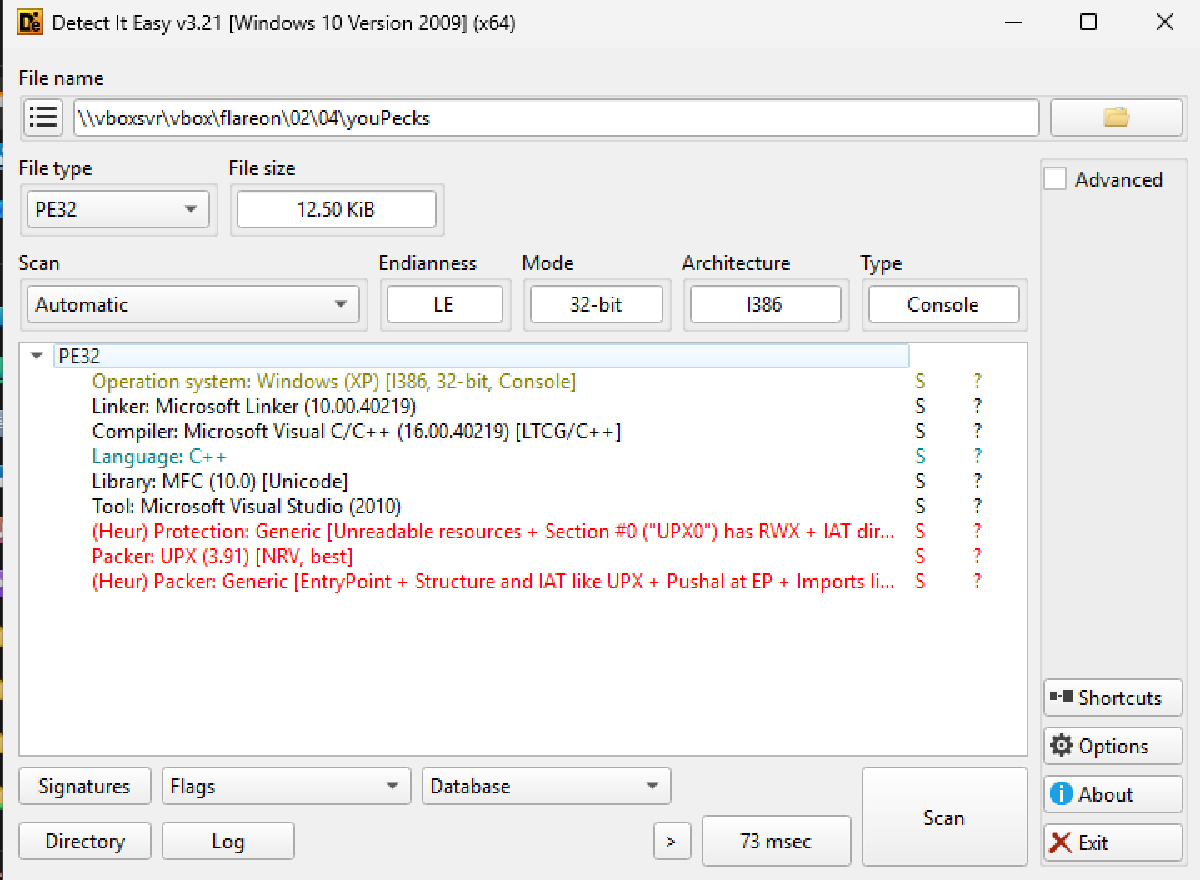

Extracting the zip file contents only reveals one file called ‘youPecks’. Running it through DiE shows that it’s a Windows EXE.
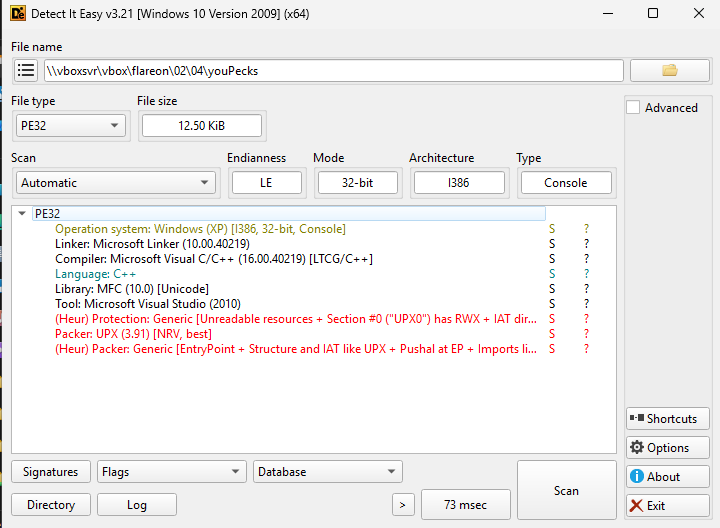
I renamed it to an exe file and when ran it opens a terminal and stops. I then ran it through a terminal and I got the response 2 + 2 = 4… hmm, okay.
I then opened it in Ghidra and it looked a mess, but when revisiting the DiE output, it references UPX which is a tool used to pack software, making the static analysis of it a lot harder. Thankfully, there is an easy way to unpack it with the upx tool. Just run upx -d youPecks.exe.
Running the binary again though reveals something strange. The output is now 2 + 2 = 5. WTF?
One handy shortcut of figuring out what code is interesting is opening the binary in Ghidra and running a strings search for anything interesting.
I spotted one string of interest… 2 + 2 = which indicated the final value was probably calculated. Clicking on it shows you its location in the binary as well as any references to it.

Also, I did notice that there did appear to be some base64 encoded strings.
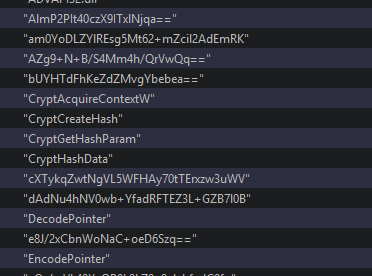
Out of curiosity, I did try to decode these but they just emptied garbage. Okay then, back to the XREF in FUN_00401350 that references the 2+2 string.
FUN_00401350#
Conditional Prechecks#
Double clicking the reference brings you to the function. After a moment of reading, I got the basic jist of the beginning of it. I do not know how or why the value of the equation changes from 4 to 5 when unpacked, but it seems here that if this value is 5, then this code is ran, then it runs a few commands and then jumps to an address which I’ve determined as it exiting the program (fail), therefore of it is 5, this is bad.
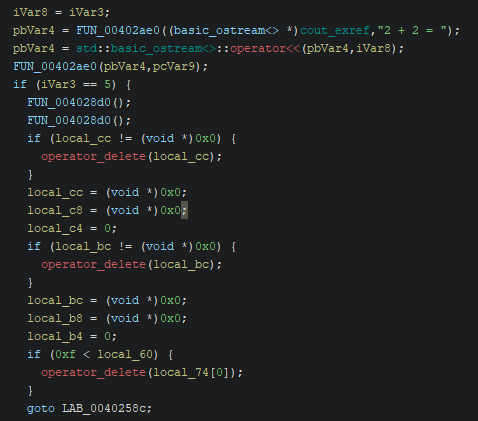
A similar check is done to see if param_1 != 2. Ghidra can detect sometimes when a function being called is being fed a parameter, i.e. external information that it needs to work. They are named param_x where x is 1,2,3 etc.
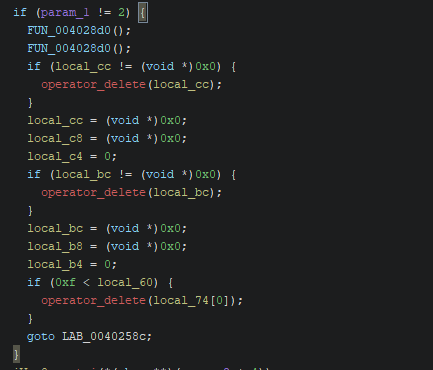
To figure out what this is, return to the previous function called ___tmainCRTStartup which is a system level function (think of it like main). There we see that the first parameter (param_1) is DAT_00407090. If you click on this, you’ll see this address in the binary. Either it will be a statically assigned value or in this case, you’ll see two references to it. One being the reference we just came from and another, which implies that it is set somewhere before being called.

__getmainargs which if you’re familiar with C or similar, is the arguments ran against a binary. The address in question is the first arg, which is the count of arguments provided to the binary. A binary will always have at least one arg, which is either the name or the full address of the binary being ran. For example:
youPecks.exe                        // Arg Count: 1
youPecks.exe AAAA                   // Arg Count: 2
youPecks.exe AAAA BBBB              // Arg Count: 3
This tells us that the binary expects one and only one argument. i renamed param_1 to argCount for clarity. Also, when reviewing the same for param_2, I noticed that it was the value of the parameter passed, so I also renamed that to argsPassed.
Converting the arg to integer#
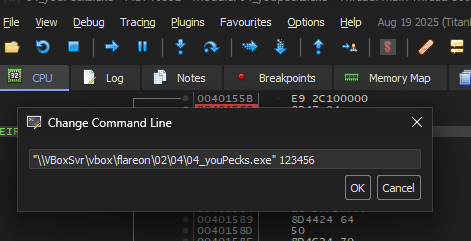
Immediately after the checks, the arg passed is loaded and an atoi call is performed, converting a number string into an integer. This tells us that the argument we pass is highly likely an integer, therefore I entered an arg of 123456 when running this as a placeholder.
In case I haven’t already covered this, when you want to debug an application in x32dbg that has a command like argument, you can do that by opening File -> Change Command Line
After atoi is called, the converted value is stored in eax. There is reference to al slightly further down, meaning it is highly likely this is a one-byte value between 0-255. Any number above this is harmless however as the extra bytes are ignored.
FUN_004012e0#
This small function is then called, which looks to be some sort of crypto going on.
void __cdecl FUN_004012e0(BYTE *input_byte,BYTE *output_hash)
{
  DWORD local_10;
  HCRYPTPROV local_c;
  HCRYPTHASH local_8;

  local_c = 0;
  local_8 = 0;
  CryptAcquireContextW(&local_c,(LPCWSTR)0x0,(LPCWSTR)0x0,1,0xf0000000);
  CryptCreateHash(local_c,0x8003,0,0,&local_8);
  CryptHashData(local_8,input_byte,1,0);
  CryptGetHashParam(local_8,2,output_hash,&local_10,0);
  return;
}
The key element here is the CryptHashData where is takes the input byte (the integer passed) and hashes it. The second value is the alg_id that when looked up, tells you this is MD5, so in short, this function hashes the byte given to it to md5 and returns it. This appears to be held onto for later.
I went down a few false leads and rabbit holes I ran a quick and dirty oneliner in powershell:
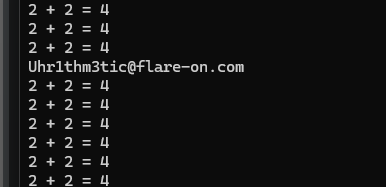
0..255 | % { & C:\path\to\target.exe $_ }In one of the outputs was the flag!
Uhr1thm3tic@flare-on.com
Debrief#
I didn’t want to just leave it here, especially as I managed to luck out on the answer. I did try this on the unpacked binary and it did not work. I did notice one thing however, in that as I knew the MD5 hashing only took place with one byte. I calculated all 256 possibilities using a simple script:
import hashlib, base64

for b in range(256):
    digest = hashlib.md5(bytes([b])).digest()
    h = base64.b64encode(digest).decode()
    print(f"{h} - {b}")
The first output is k7iFrf4NoInN9jSQT9WfcQ== and I did see a very similar reference in the binary: K7IfRF4nOiNn9Jsqt9wFCq== which is identical but with the cases swapped, so this was using a custom version of Base64 to encode the MD5 or the cases were swapped before encoding.
Another thing that I realised after some time is that the value is tied to the current hour of the system it is executed on. When the hour changes, so does the correct input value.
I think I’ll return to this challenge in the future but I’m happy to just call this done.